

If you’ve always wanted to play your favorite songs on the Roblox piano, you’re not alone. With the right tools and a bit of creativity, you can turn almost any song into sheet music for Roblox. In this guide, we’ll show you how to use the transcription tools from Klangio to prepare your music quickly, easily, and accurately.
Step 1: Choose the right Klangio tool
First, you need the right tool to create a piano transcription from your favorite song. Klangio offers three AI-powered apps that are perfect for this:
- Klangio Transcription Studio or Piano2Notes: Best when you only want the piano part of the song.
- Melody Scanner (Arrangement mode): Ideal if you want a complete piano arrangement with selectable difficulty levels – easy, medium, or full.
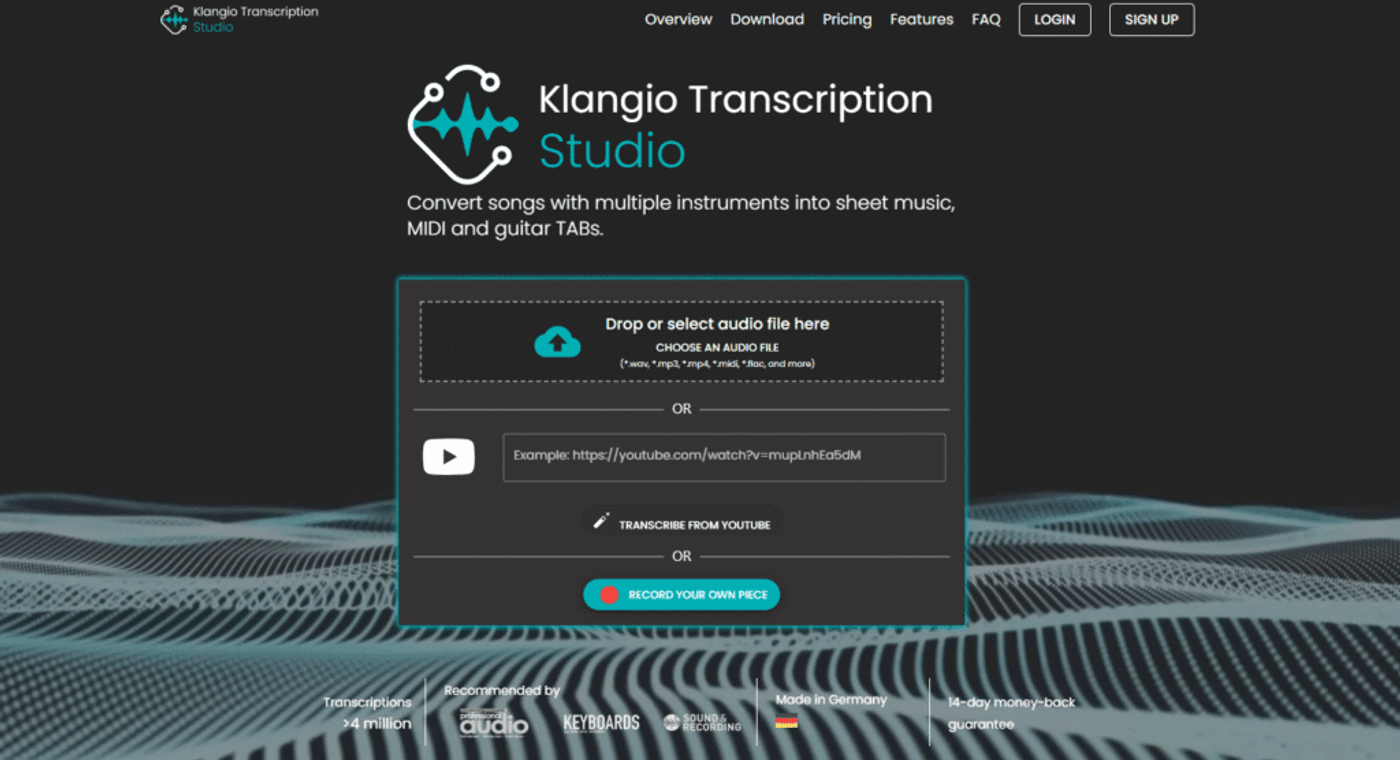
Both tools are web-based and super easy to use.
Step 2: Start your free transcription
In both apps, you’ll find an upload field with several input options. Here’s how it works:
- Upload audio or video fileDrag and drop a recording of the song you want to transcribe. The software supports all common video and audio formats.
- Paste YouTube link: Simply enter a YouTube URL of your favorite song to process the audio.
- Record directly: Use your microphone to capture your music live from your smartphone or computer.
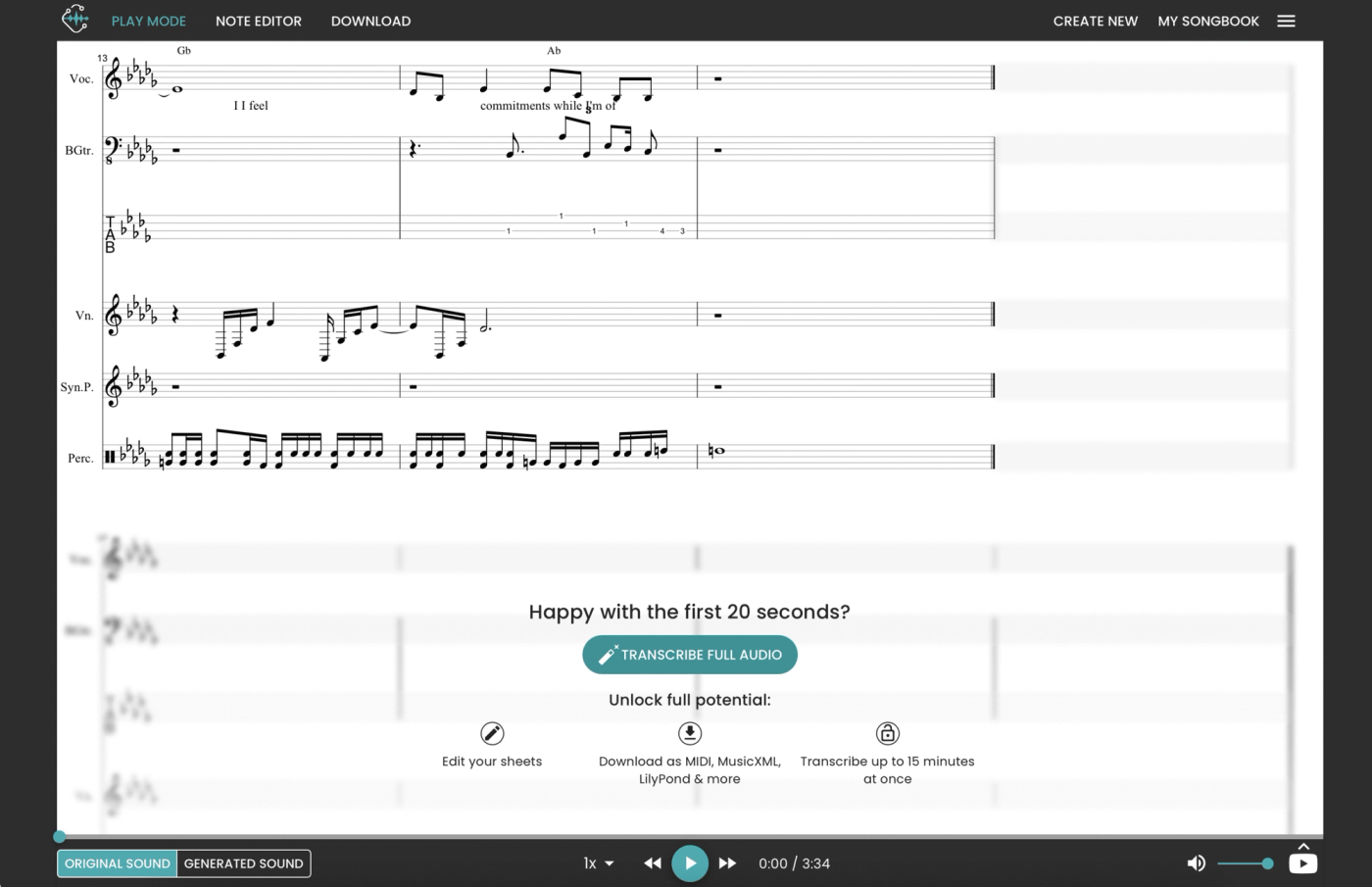
Within seconds, you’ll automatically get a 20-second demo transcription! Now it’s time to check if the transcription matches the original song.
Step 3: Download upgraded MIDI file
If you’re happy with the demo, you can upgrade to access the full transcription. If needed, you can also fix a few mistakes or adjust the transcription.
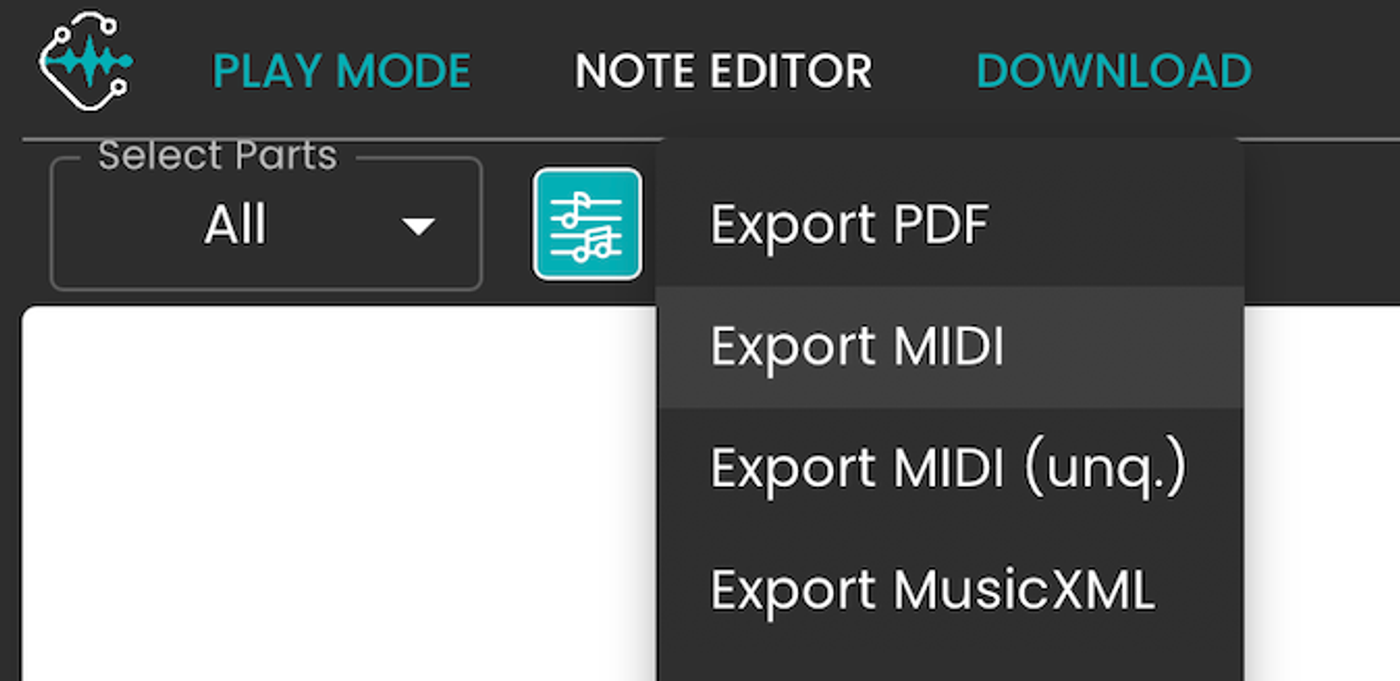
After the upgrade, you can download your song in different formats. For Roblox, choose the MIDI format.
Step 4: Convert MIDI into Roblox piano sheet music
Roblox doesn’t use traditional sheet music, so you need to convert your MIDI file into a format it understands.
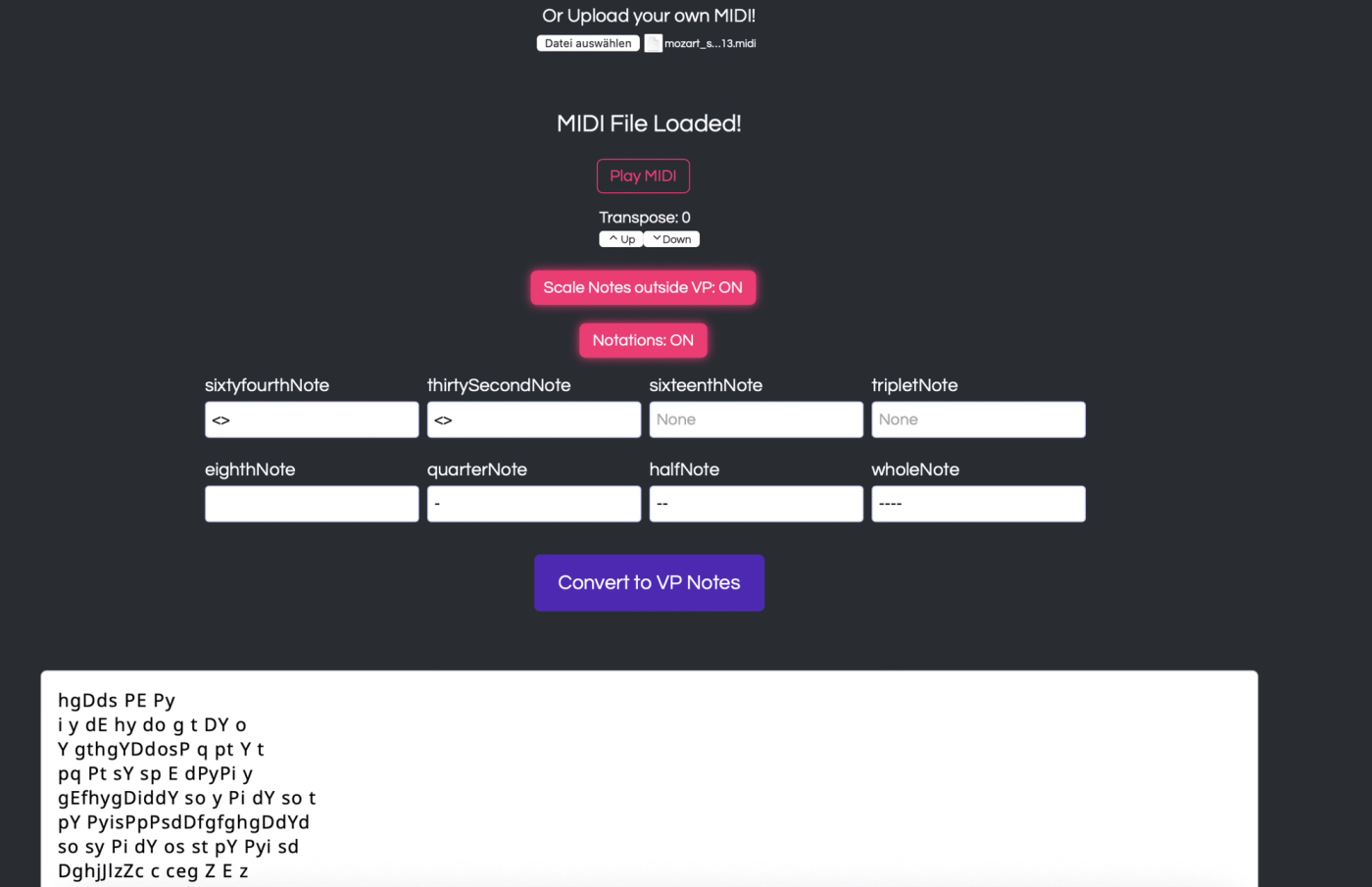
Use a free tool like vpsheets.com/converter:
- Upload your MIDI file.
- The tool generates Roblox-compatible piano sheet music.
- Copy the generated sheet music.
- Paste them into the Roblox piano sheet music area and start playing!
Done! You’re ready to play on Roblox
Now you have your very own Roblox piano sheet music – perfect for covers, creative performances, or just for fun. Whether you’re covering a trending hit or your personal favorite, the tools from Klangio make it easy to create Roblox piano sheet music with just a few clicks. And you can even use the Klangio sheets to play on a real piano!