


If you love improvisation and heavy distortion, transcribing your own performance can be a nightmare — especially if you’re trying to capture it note for note. Or maybe you heard this one performance and just can’t figure out what was played. That’s exactly why we built Guitar2Tabs. And now, with our latest update, it’s more powerful than ever:
Introducing: Our new AI model for solo electric guitar
We’ve just released a major upgrade for Guitar2Tabs that focuses specifically on solo electric guitar — including distorted tones. Whether you play clean or overdriven, our new transcription model cuts through the noise (literally) to automatically deliver accurate, playable guitar tabs from your recordings!
You don’t need a DAW or fancy gear. Just upload your track — even a phone recording or a YouTube video — and let our AI do the heavy lifting.
Ready to try it out? It’s free, online, and works instantly.
Try it now at klang.io/guitar2tabs
To learn more, watch the video or keep reading:
How to turn electric guitar audio into tabs (in 3 steps)
Step 1: Upload your electric guitar recording
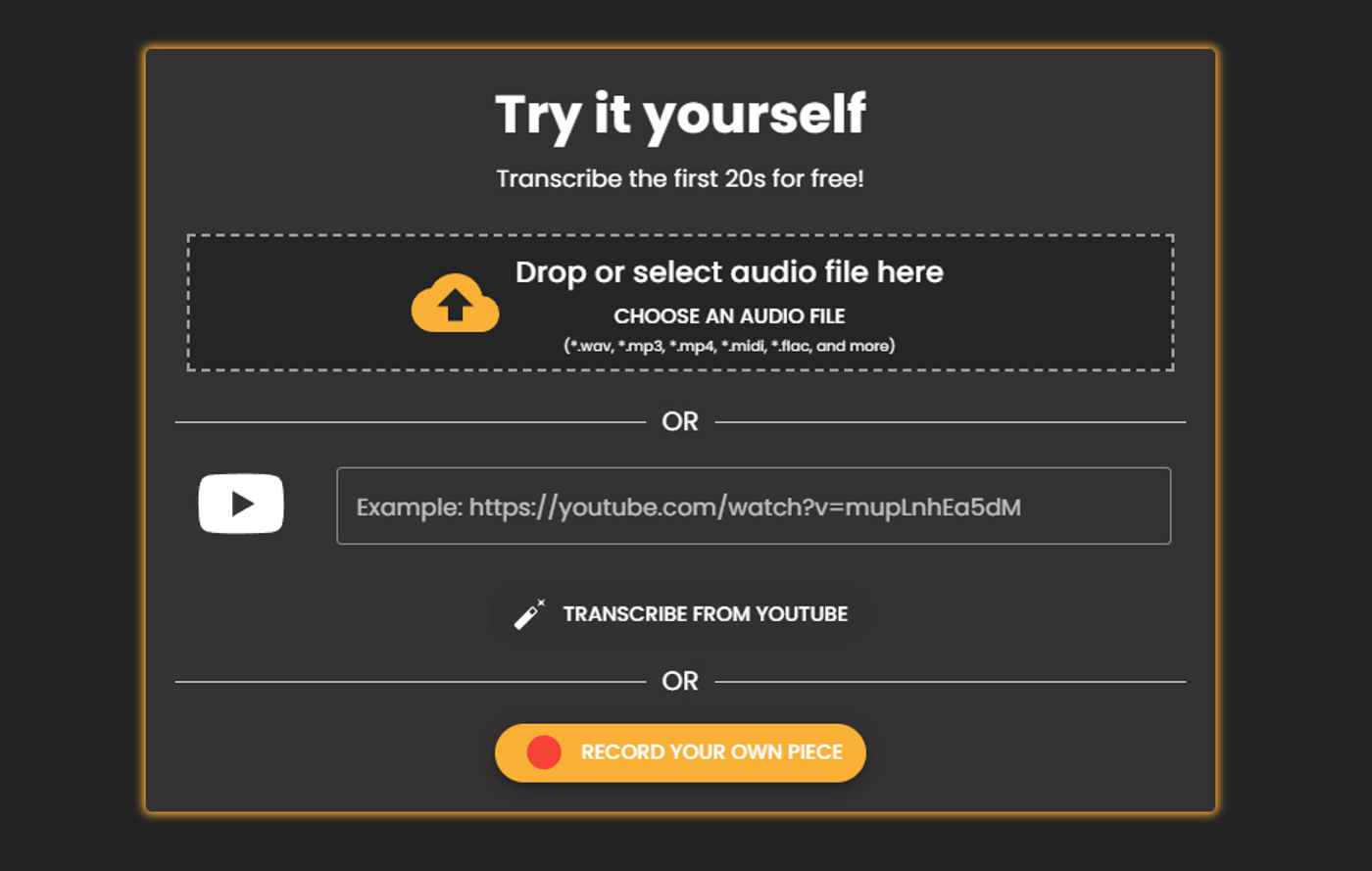
Go to klang.io/guitar2tabs. You can upload an audio file (like MP3 or WAV), record your guitar live in the browser, or paste a YouTube link.
Want the best results? Make sure your electric guitar is clearly audible.